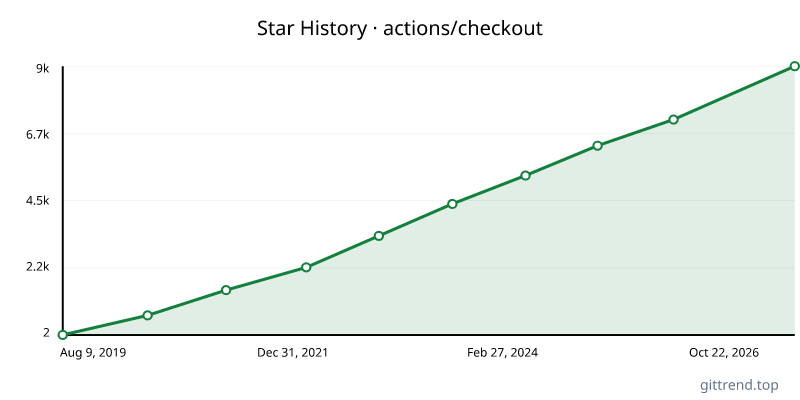
Overview
The actions/checkout GitHub Action is a fundamental tool for any CI/CD pipeline, designed to seamlessly download your repository's code to the GitHub Actions runner. It simplifies the process of accessing your project files, enabling you to build, test, and deploy with ease. This action fetches your repository's content, making it readily available for subsequent workflow steps.
Key Features
- Secure Fork Handling:
v7introduces enhanced security for pull requests originating from forks, defaulting to safer checkout behavior to mitigate "pwn request" vulnerabilities. Opt-in to unsafe checkout withallow-unsafe-pr-checkout: trueafter reviewing the risks. - ESM Migration:
v7has migrated to ECMAScript Modules (ESM), ensuring compatibility with newer@actions/*package versions. - Improved Credential Security (v6): Credentials for authenticated Git operations are now stored more securely in a temporary file, preventing direct exposure in
.git/config. - Flexible Fetching: Control the history you download with
fetch-depth. Fetch a single commit by default, or retrieve all history (fetch-depth: 0) for comprehensive branch and tag access. - Sparse Checkout: Efficiently download only specific files or directories using the
sparse-checkoutinput, optimizing build times and runner storage. - Submodule Support: Easily integrate and check out Git submodules with the
submodulesinput. - LFS Integration: Seamlessly download Git Large File Storage (LFS) files with the
lfsoption. - Multiple Repository Checkout: Fetch code from multiple repositories, both public and private, side-by-side or nested within your workspace.
- SSH Key Authentication: Securely clone private repositories using SSH keys.
- REST API Fallback: Gracefully handles environments where Git 2.18+ is not available by falling back to the REST API for file downloads.
Typical Use Cases
- Setting up your build environment: The most common use case is to get your project's code into the runner's workspace so you can run build commands.
- uses: actions/checkout@v7 - Fetching specific branches or tags: Checkout a particular version of your code for testing or deployment.
- uses: actions/checkout@v7 with: ref: release-v1.0 - Downloading specific directories for optimized builds: Use
sparse-checkoutto only fetch the necessary files.- uses: actions/checkout@v7 with: sparse-checkout: | src/ tests/ - Cloning private repositories: Access internal or private codebases using a Personal Access Token (PAT).
- uses: actions/checkout@v7 with: repository: my-org/my-private-repo token: ${{ secrets.GH_PAT }} - Checking out pull request code: Access the code of a pull request for review or testing.
- uses: actions/checkout@v7
  with:
    ref: ${{ github.event.pull_request.head.sha }}